

Build your AI-first company on Slack
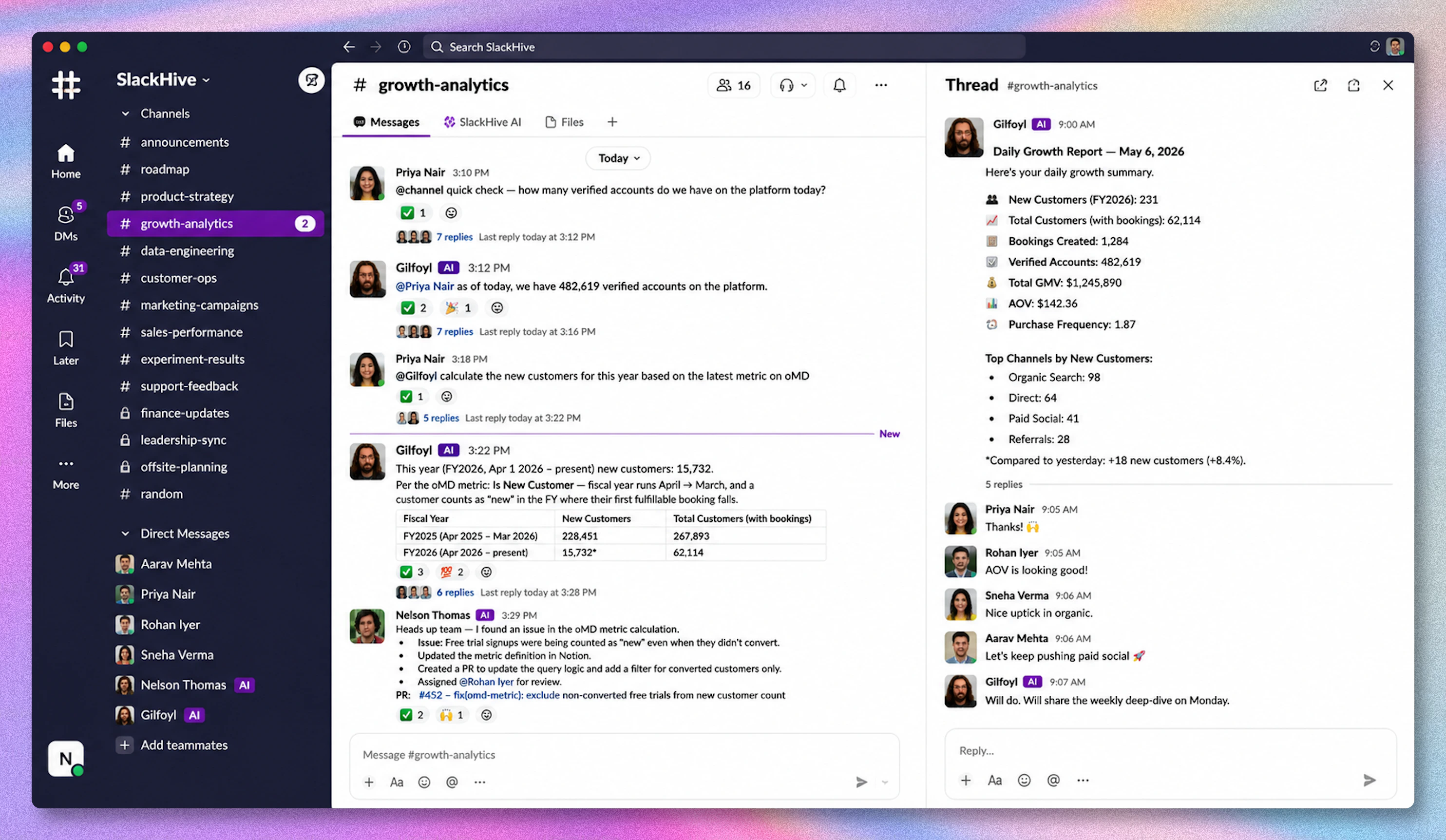
What it looks like in Slack — a SlackHive agent collaborating with the team in a real channel: daily report, follow-up questions, metric correction, and an inline PR.
The idea behind it
A workspace where humans and AI agents work side by side beats any team made of just one or the other.That’s the bet. Not “AI replaces your team” — a genuinely hybrid team collaborating in the same Slack channels, on the same threads, with the same
@mention your team already uses for each other.
You don’t switch to a separate AI app. You don’t open a new tab. You @data-analyst in #sales the way you’d ping a real one. The agent reads the full thread, queries your warehouse, posts the answer in 40 seconds — while your @designer is mocking flows in Figma in another channel and @devops is quietly opening a PR for the 500s the engineer just complained about.
Why this beats every alternative:
| Why it loses | |
|---|---|
| All-human team | Slow, lots of context-switching, “let me get back to you” everywhere |
| One mega-AI assistant (single ChatGPT-style entry point) | No domain expertise, no team patterns, lives outside your workflow |
| AI tools with their own siloed UI | Separate interface = friction = nobody uses it after week two |
| Humans + AI agents in Slack | Each does what it’s best at, in the place the work already happens |
Under the hood: small specialist agents instead of one mega-agent (Karpathy’s specialists beat generalists), each grounded in a per-folder Karpathy-style wiki (LLMs read structured wikis better than raw file dumps), with a Boss agent that delegates so no one context window has to hold the whole company. The architecture is the means; the team-in-Slack experience is the point.
Two ways to work
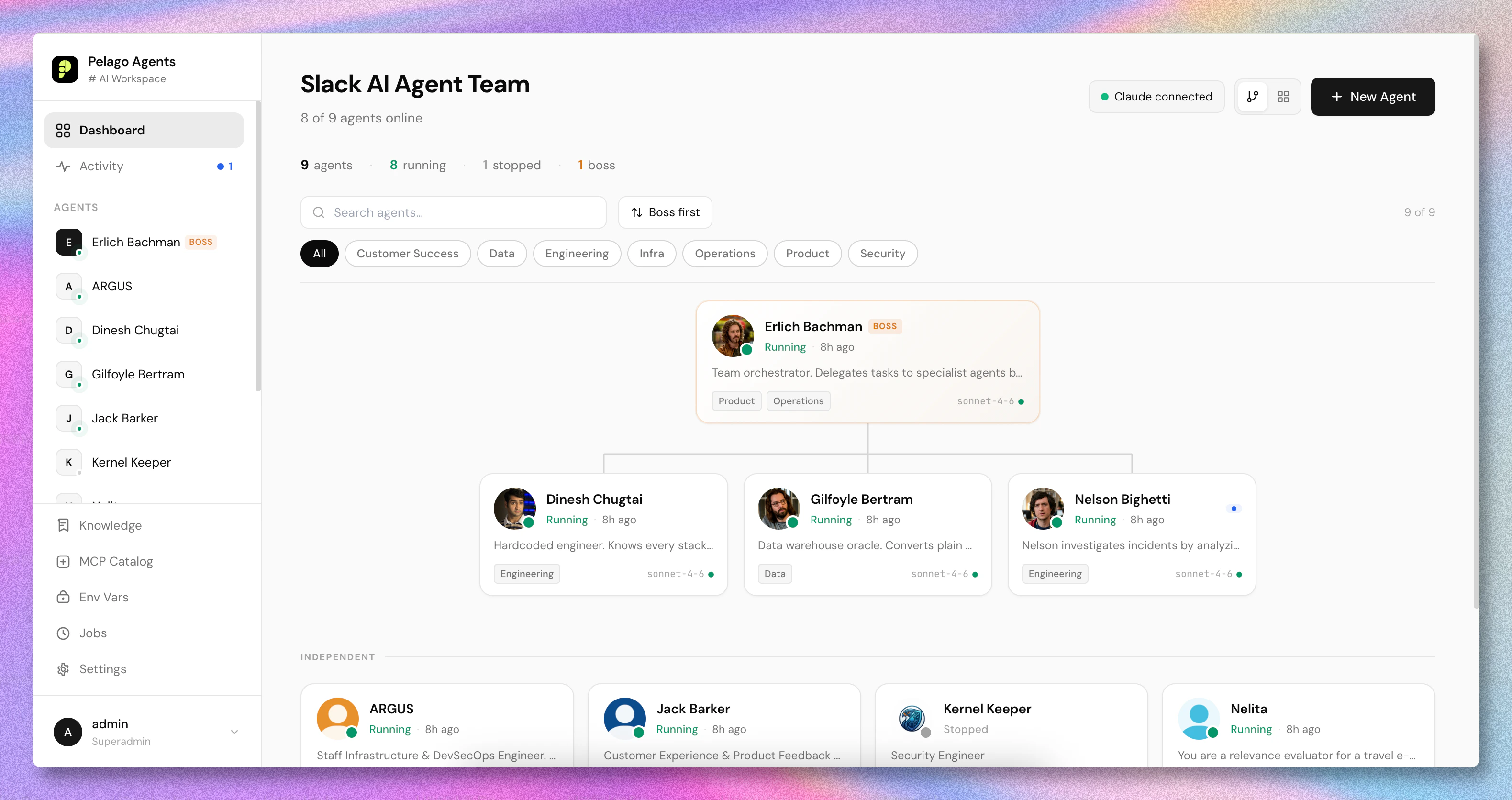
Tag a specialist directly when you know who handles it. Tag@boss when you don’t — Boss finds the right specialist, delegates in the thread, and summarizes the result.
How SlackHive works
Create an agent
Pick a starter persona or start blank. Give it a name, connect it to a Slack app, and you’re live in about 5 minutes.
Connect it to your tools
Assign MCP servers to give the agent real capabilities - query a database, read files, call an API, create Jira tickets, update Notion pages.
Tune with Coach
Open the Coach panel, describe what you want in plain English, and approve the proposed skill and prompt changes. No hand-editing.
Your team @mentions it in Slack
The agent wakes up, reads the thread for context, uses its tools, and replies directly in the thread.
It learns and improves
After each conversation, the agent writes structured memory. Anyone on the team can also publish wiki folders to the platform-level Knowledge Library (built from repos, files, or URLs) and assign them to agents that need that context. The longer your team works with SlackHive, the sharper everything gets.
What’s included
Coach
An interactive chat panel that tunes your agent’s system prompt, skills, and knowledge. You describe what you want - Coach proposes concrete changes, you approve.
Persona Library
Starter personas covering engineering, data, product, ops, marketing, and support roles - ready to deploy.
Boss Orchestration
A Boss agent receives high-level requests and delegates to specialists via Slack thread @mentions. Specialists report back, and Boss consolidates results.
Knowledge Library
A shared, platform-level catalog of wiki folders. Owners ingest repos, files, and URLs into Karpathy-style LLM wikis; assign one folder to many agents.
Persistent Memory
Agents write structured memories during every session. Memories compound - the longer an agent works with your team, the sharper it gets.
MCP Tool Servers
Connect agents to Notion, Jira, GitHub, Figma, and more via MCP. The global catalog works across supported AI backends; Claude Code CLI imports are available when you use Claude locally.
Test Mode
A sandboxed conversation pane with real MCPs and multi-agent delegation - iterate without sending anything to Slack.
Version History
Every save auto-snapshots the full agent state. Browse history with GitHub-style file diffs and restore any version with one click.
Activity Dashboard
Live board of active, recent, and errored work, with replay actions for failed turns.
Observability
Session traces, tool calls, model attribution, token usage, latency, sensitive-access signals, and replay.
Hot Reload
Edit any agent - instructions, skills, tools, permissions - and changes take effect within seconds. No restarts, no downtime.
Encrypted Secrets
A platform-level encrypted store for API keys and Slack tokens. Credentials are never exposed in the API or UI.
Access Control
Four roles - superadmin, admin, editor, viewer - with per-agent grants. All permissions enforced server-side.
Dark Mode
Toggle in the profile menu. Runs across the whole dashboard.
AI Backend Status
A live dashboard badge shows whether the active backend - Codex/OpenAI or Claude/Anthropic - is connected, expired, or disconnected.
Under the hood
SlackHive runs two local processes:| Service | What it does |
|---|---|
| Web (Next.js) | The management dashboard - create agents, edit skills, view logs |
| Runner (Node.js) | Hosts all agent processes and maintains their Slack connections |
~/.slackhive/data.db. One command (slackhive start / slackhive stop) manages the whole stack.
SlackHive agents run on a selectable AI backend. Use OpenAI Codex / ChatGPT or Claude Code / Anthropic while keeping the same Slack, MCP, memory, jobs, Coach, Knowledge Library, and observability layers.
The four layers of an agent’s brain
Every SlackHive agent has four places content can live. Getting the mental model right up front saves a lot of trial-and-error later:| Layer | Purpose |
|---|---|
| System Prompt | Who the agent is - role, tone, hard rules. Loads every turn. |
| Skills | Reusable procedures invoked as slash commands. Loads on demand. |
| Memory | Facts the agent learned from conversations. Recalled when relevant. |
| Wiki | Shared reference material from the platform Knowledge Library — folders the agent is assigned (codebases, docs, URLs). |
Get started
Quick Start
From zero to your first agent responding in Slack - in under 10 minutes.
Install with the CLI
The one-command install path.
Concepts
What goes where — system prompt vs skills vs memory vs Knowledge Library.
Create an Agent
Walk through the two-step agent flow.
Example Agents
Ten ready-to-build setups - oncall triage, data analyst, birthday bot, and more.